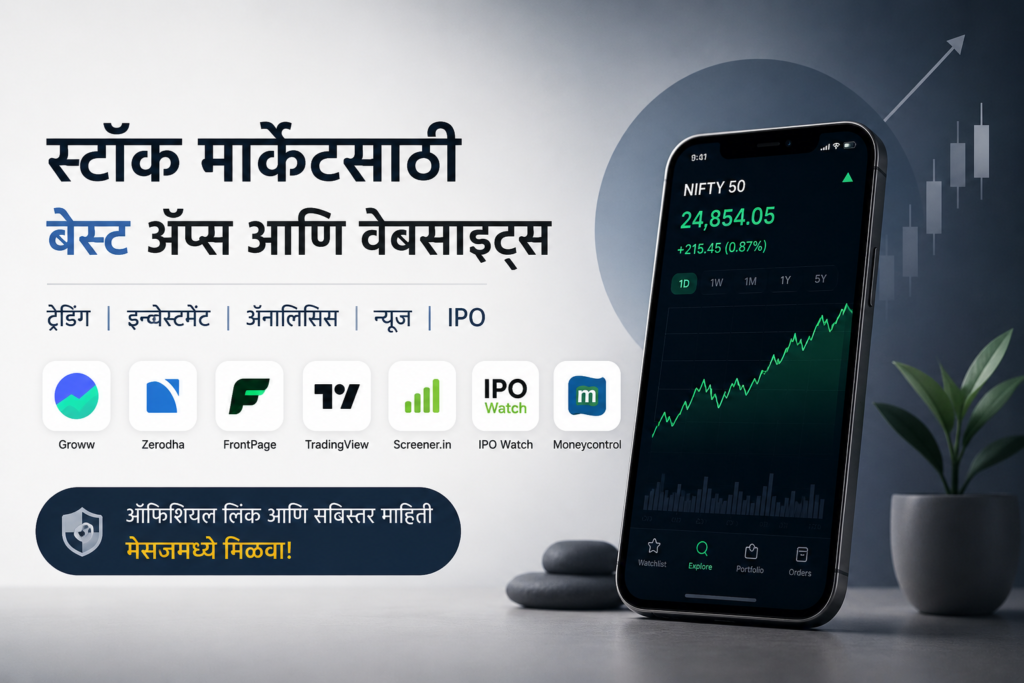
Best Share Market Apps & Websites in India
Trading, Long-Term Investment, Paper Trading, Technical Analysis, Fundamental Analysis, IPO Updates आणि Market News साठी उपयोगी प्लॅटफॉर्मचा सविस्तर आढावा.
या आर्टिकलमध्ये काय मिळेल?
1. Groww
Trading आणि सहज Investing साठी लोकप्रिय पर्याय
Groww हे stocks, ETFs, IPOs आणि इतर investment products साठी वापरता येणारे investment platform आहे. कंपनीच्या माहितीनुसार यामध्ये beginner-friendly interface, fast order placement, advanced charts आणि IPO tracking यांसारखी वैशिष्ट्ये आहेत.
Official Website → groww.inGroww कशासाठी उपयोगी?
- Equity stocks मध्ये buy/sell करण्यासाठी.
- Intraday trading साठी order placement आणि market tracking.
- Stocks, ETFs आणि IPOs शोधण्यासाठी व track करण्यासाठी.
- नवीन investors साठी तुलनेने सोपा mobile-first अनुभव.
फायदे
- सोपे आणि beginner-friendly interface.
- Stocks, ETFs आणि IPOs एकाच ecosystem मध्ये.
- Advanced charts उपलब्ध.
- Account opening आणि maintenance बाबत ₹0 charges असल्याचे pricing page वर नमूद आहे.
लक्षात ठेवण्यासारखे
- “₹0” म्हणजे सर्व व्यवहार पूर्णपणे charge-free असे नाही.
- Brokerage व्यतिरिक्त STT, exchange charges, GST, stamp duty आणि DP charges लागू होऊ शकतात.
- Frequent trading करत असाल तर एकूण transaction cost आधी तपासा.
Groww वापरताना basic workflow
- Account/KYC पूर्ण करा.
- Stock search करून company page उघडा.
- Price, chart आणि उपलब्ध company information तपासा.
- तुमच्या strategy नुसार order type आणि quantity ठरवा.
- Order confirm करण्यापूर्वी estimated charges आणि quantity तपासा.
2. Zerodha
Long-Term Investment, Trading आणि Portfolio Management साठी मजबूत ecosystem
Zerodha चे Kite हे stocks आणि F&O trading/investing साठीचे प्रमुख platform आहे. यामध्ये watchlists, advanced charts, market depth, GTT orders, alerts आणि portfolio-related tools यांसारखी वैशिष्ट्ये उपलब्ध आहेत.
Official Website → zerodha.com Kite Official Page →Long-Term Investment साठी का उपयोगी?
Long-term investor साठी मुख्य मुद्दा केवळ app चा interface नसून brokerage, demat-related costs, portfolio tracking आणि order management यांचा एकत्रित अनुभव असतो. Zerodha च्या माहितीनुसार genuine equity delivery trades वर brokerage ₹0 आहे. मात्र statutory charges आणि shares sell करताना DP charges लागू होऊ शकतात.
फायदे
- Equity delivery वर ₹0 brokerage असल्याचे अधिकृत charges page वर नमूद आहे.
- Kite मध्ये advanced charting आणि market depth.
- GTT आणि alerts सारखी order/monitoring features.
- Trading आणि investing साठी एकाच platform मध्ये अनेक tools.
- Varsity सारख्या educational resources मुळे learning ecosystem मजबूत.
लक्षात ठेवण्यासारखे
- ₹0 brokerage म्हणजे ₹0 total transaction cost नाही.
- Intraday/F&O साठी brokerage आणि statutory charges लागू होतात.
- नवीन user ला advanced features सुरुवातीला थोडे complex वाटू शकतात.
Long-term investor ने काय तपासावे?
- Brokerage पेक्षा total cost of ownership समजून घ्या.
- Delivery holdings आणि intraday positions वेगवेगळ्या प्रकारे समजून घ्या.
- Portfolio tracking आणि corporate actions ची माहिती नियमित तपासा.
- Investment decision साठी केवळ app च्या rating किंवा UI वर अवलंबून राहू नका.
3. FrontPage
Paper Trading आणि Strategy Practice साठी
FrontPage मध्ये Trade Lab/Paper Trading द्वारे virtual money वापरून stock, options आणि F&O strategies चा सराव करता येतो. त्यासोबत traders/investors community, watchlists आणि market discussions अशी features देखील आहेत.
Official Website → front.pagePaper Trading म्हणजे काय?
Paper trading मध्ये वास्तविक पैसे वापरले जात नाहीत. त्याऐवजी simulated/virtual funds वापरून entry, exit, position sizing आणि strategy चा सराव केला जातो. त्यामुळे real capital risk न घेता strategy test करण्यासाठी ते उपयोगी ठरू शकते.
फायदे
- Virtual money वापरून strategy practice.
- Stocks तसेच derivatives/F&O practice करण्याची सुविधा.
- Trade history आणि P&L tracking सारखी learning-oriented features.
- Trading community आणि market discussions.
मर्यादा
- Virtual trading मधील psychology आणि real-money pressure सारखे नसतात.
- Community मधील user-generated views हे स्वतःहून verified investment advice मानू नयेत.
- काही advanced/unlimited features साठी subscription लागू शकते.
- Real market execution च्या प्रत्येक operational detail चे paper trading मध्ये अचूक replication होईलच असे नाही.
FrontPage वर paper trade कसा करायचा?
- FrontPage वर account/app उघडा आणि Trade Lab/Paper Trading section शोधा.
- Virtual portfolio किंवा simulated funds वापरून trade निवडा.
- Entry, quantity, stop-loss आणि exit plan नोंदवा.
- प्रत्येक trade चा result journal करा.
- किमान काही trades चा sample तयार झाल्यानंतर strategy ची consistency तपासा.
4. TradingView
Technical Analysis, Charts आणि Strategy Testing साठी
TradingView हे charting आणि market-analysis platform आहे. त्यात indicators, drawing tools, multi-timeframe analysis, screeners, historical analysis, alerts आणि Paper Trading यांसारखी tools उपलब्ध आहेत.
Official Website → tradingview.comTechnical Analysis साठी काय मिळते?
- 400+ built-in indicators आणि strategies असल्याचे TradingView नमूद करते.
- 110+ smart drawing tools.
- Multi-timeframe analysis.
- Bar Replay द्वारे historical price action चा अभ्यास.
- Screeners आणि custom filters.
- Pine Script वापरून custom indicators/strategies तयार करण्याची सुविधा.
- Paper Trading द्वारे simulated trades.
फायदे
- Charting tools चा मोठा संग्रह.
- Beginner ते advanced chart users पर्यंत उपयोगी.
- Historical replay आणि strategy testing.
- अनेक asset classes साठी analysis.
- Paper Trading उपलब्ध.
मर्यादा
- अनेक advanced features paid plans मध्ये असू शकतात.
- Indicators ची संख्या जास्त असल्याने beginners over-analysis करू शकतात.
- Chart किंवा indicator स्वतःहून profitable strategy तयार करत नाही.
- Broker integration आणि actual execution वेगळ्या broker conditions वर अवलंबून असते.
Technical Analysis साठी basic workflow
- Stock/index निवडा आणि timeframe ठरवा.
- Price structure आणि trend पाहा.
- गरजेपुरतेच indicators/drawing tools वापरा.
- Entry, stop-loss आणि invalidation level आधी ठरवा.
- Paper Trading/Backtesting ने strategy तपासा.
5. Screener.in
Fundamental Analysis आणि Stock Screening साठी
Screener.in हे Indian listed companies च्या financial data वर research करण्यासाठी वापरले जाणारे platform आहे. कंपनीच्या अधिकृत माहितीनुसार users 10 ते 15 वर्षांच्या financial data वर queries चालवू शकतात आणि announcements/regulatory filings track करू शकतात.
Official Website → screener.inFundamental Analysis मध्ये काय पाहता येते?
- Revenue, profit आणि earnings-related financial data.
- P/E सारखे valuation ratios.
- Balance sheet, cash flow आणि profit & loss मधील माहिती.
- 10+ years चा historical data context.
- Custom screeners/queries वापरून stocks filter करणे.
- Announcements आणि regulatory filings track करणे.
- Segment results आणि historical business performance चा अभ्यास.
फायदे
- Long-term financial history एकाच ठिकाणी पाहता येते.
- Custom screening मुळे मोठ्या stock universe मधून shortlist करता येतो.
- Company-level financial analysis जलद करता येतो.
- Research process structured करण्यासाठी उपयुक्त.
मर्यादा
- Numbers पाहणे म्हणजे पूर्ण fundamental analysis झाले असे नाही.
- Business quality, management, industry cycle आणि valuation context वेगळा तपासावा लागतो.
- Screening criteria चुकीचे ठेवल्यास चुकीचे conclusions मिळू शकतात.
- केवळ एका ratio वरून stock buy/sell ठरवणे योग्य नाही.
Screener.in वापरण्याचा practical workflow
- Sector किंवा stock universe ठरवा.
- Revenue/profit growth, ROE/ROCE, debt आणि valuation सारखे relevant filters निवडा.
- Shortlisted companies ची financial statements उघडा.
- Cash flow, debt, margins आणि business performance चा historical trend पाहा.
- Annual report, exchange filings आणि company disclosures द्वारे माहिती cross-check करा.
6. IPO Watch
IPO Calendar, GMP आणि IPO-related Updates साठी
IPO Watch वर upcoming IPOs, Mainboard आणि SME IPOs, IPO dates, subscription-related updates, allotment information आणि Grey Market Premium (GMP) यांसारखी माहिती प्रकाशित केली जाते.
IPO Watch Website → ipowatch.inIPO Watch कशासाठी उपयोगी?
- Upcoming IPOs शोधण्यासाठी.
- Mainboard आणि SME IPOs वेगळे track करण्यासाठी.
- IPO timeline, subscription आणि allotment-related updates पाहण्यासाठी.
- GMP आणि IPO reviews चा संदर्भ घेण्यासाठी.
- IPO-related information एका dashboard-style website वर पाहण्यासाठी.
फायदे
- IPO-specific information एकाच ठिकाणी.
- Upcoming IPO calendar सहज track करता येतो.
- GMP आणि subscription updates मुळे market sentiment चा context मिळू शकतो.
- IPO allotment/date-related updates शोधणे सोपे.
सर्वात महत्त्वाची मर्यादा
- IPO Watch स्वतःच्या disclaimer मध्ये सांगते की ते SEBI-registered entity नाही.
- GMP हा official exchange price नाही आणि त्यावर blind decision घेऊ नये.
- Website वरील estimates/figures approximate असू शकतात.
- Final decision साठी DRHP/RHP, company filings आणि official exchange information तपासा.
IPO तपासण्याची योग्य पद्धत
- IPO Watch वर upcoming IPO आणि basic timeline पहा.
- Company चा DRHP/RHP शोधा.
- Revenue, profit, debt, valuation आणि offer structure तपासा.
- Promoter background आणि risk factors वाचा.
- GMP ला फक्त secondary market sentiment म्हणून पहा.
- Final decision घेण्यापूर्वी official exchange/company documents cross-check करा.
7. Moneycontrol
Market News, Live Quotes, Portfolio आणि Market Tracking साठी
Moneycontrol हे market news, stock quotes, indices, portfolio/watchlist tracking, financial information आणि business news साठी मोठ्या प्रमाणावर वापरले जाणारे platform आहे. त्याच्या app/website मध्ये Markets, News, Portfolio, Watchlist, Commodities, Mutual Funds आणि Personal Finance अशा विभागांचा समावेश आहे.
Official Website → moneycontrol.com Official Apps Page →Market tracking साठी उपयोग
- Market news आणि business updates.
- Stock quotes आणि market movers.
- Indices आणि sector-related tracking.
- Portfolio आणि watchlist features.
- Financials, ratios आणि company-related information.
- Notifications/alerts द्वारे updates track करण्याची सुविधा.
फायदे
- News + market data + portfolio tracking एकत्र.
- Indian markets वर मोठ्या प्रमाणात coverage.
- Market movers आणि indices tracking.
- Business/economy news साठीही उपयोगी.
लक्षात ठेवण्यासारखे
- News वाचणे आणि investment decision घेणे या दोन वेगळ्या गोष्टी आहेत.
- Premium content/features साठी paid access लागू शकतो.
- Breaking news वर आधारित impulsive trading टाळा.
- कुठल्याही “assured return” किंवा fund solicitation ला अधिकृत Moneycontrol offer समजू नका.
Moneycontrol चा practical वापर
- तुमच्या watchlist मध्ये relevant stocks/indices add करा.
- Stock-specific news आणि company updates track करा.
- Market movers आणि sector movement पहा.
- महत्त्वाची news आली तर primary/company/exchange source वरून ती verify करा.
- News ला तुमच्या existing investment thesis च्या context मध्ये समजून घ्या.
झटपट तुलना: कोणते platform कशासाठी?
ही तुलना “सर्वांसाठी best” असा निष्कर्ष नसून, प्रत्येक platform चा मुख्य उपयोग समजण्यासाठी आहे.
| Platform | मुख्य उपयोग | कोणासाठी? | मुख्य फायदा | मुख्य काळजी |
|---|---|---|---|---|
| Groww | Trading / Investing | Beginner ते regular investors | सोपे interface + अनेक investment options | Brokerage व statutory charges तपासा |
| Zerodha | Long-term / Trading | Investors आणि active traders | Kite ecosystem + advanced tools | Total transaction cost समजून घ्या |
| FrontPage | Paper Trading | Strategy practice करणारे users | Virtual money + trade practice | Paper profit = real profit नाही |
| TradingView | Technical Analysis | Chart-based traders/investors | Indicators + drawing + replay + screeners | Over-analysis टाळा |
| Screener.in | Fundamental Analysis | Stock researchers / long-term investors | Long-term financial data + screening | एका ratio वर decision नको |
| IPO Watch | IPO Updates | IPO track करणारे users | IPO calendar + GMP + updates | SEBI-registered advisory नाही; GMP वर blind decision नको |
| Moneycontrol | News / Market Tracking | Investors आणि market followers | News + quotes + portfolio/watchlist | News म्हणजे buy/sell signal नाही |
हे सगळे platforms एकत्र कसे वापरायचे?
एकच app प्रत्येक कामासाठी वापरण्याची गरज नाही. Research process वेगवेगळ्या stages मध्ये विभागला तर हे platforms अधिक व्यवस्थित वापरता येतात.
- Idea/News: Moneycontrol वर market किंवा company-related news पाहा.
- Fundamental Check: Screener.in वर company ची financial history, ratios आणि screening data तपासा.
- IPO Research: IPO असेल तर IPO Watch वर timeline/GMP/update पहा; त्यानंतर official DRHP/RHP वाचा.
- Technical Setup: TradingView वर chart, trend, levels आणि तुमच्या strategy नुसार setup तपासा.
- Strategy Practice: नवीन strategy असेल तर FrontPage सारख्या paper-trading platform वर virtual trades करून test करा.
- Execution: वास्तविक investment/trade करायचा असल्यास तुमच्या निवडलेल्या broker platform वर order place करा.
- Review: Trade/investment नंतर result आणि thesis review करा; फक्त profit/loss वर नाही तर process वर लक्ष द्या.
Stock Market Apps वापरताना 7 महत्त्वाच्या गोष्टी
- “Best” म्हणजे “Guaranteed Profit” नाही. कोणतेही app किंवा website profit guarantee करत नाही.
- Brokerage आणि total charges वेगळे असतात. STT, exchange transaction charges, GST, stamp duty, DP charges इत्यादी लागू होऊ शकतात.
- Paper trading ला real trading समजू नका. Real-money psychology आणि execution वेगळे असतात.
- GMP हा official IPO price indicator नाही. तो unofficial market sentiment दर्शवू शकतो; त्यावर एकट्यावर decision घेऊ नका.
- News म्हणजे recommendation नाही. News वाचल्यानंतर primary source आणि company filings तपासा.
- Technical indicators हे tools आहेत, predictions नाहीत. Stop-loss, position sizing आणि risk/reward महत्त्वाचे आहेत.
- Financial decisions स्वतःच्या research वर घ्या. आवश्यक असल्यास SEBI-registered investment adviser/financial professional कडून सल्ला घ्या.
अधिकृत वेबसाइट्स — एकाच ठिकाणी
- Groww — Official Website
- Zerodha — Official Website
- FrontPage — Official Website
- TradingView — Official Website
- Screener.in — Official Website
- IPO Watch — Official Website
- Moneycontrol — Official Website
लिंक उघडताना domain spelling तपासा. Investment/trading साठी अनोळखी third-party links किंवा fake apps टाळा.